Ground station 01Base Alpha
atlas0UP
fiber0 8 msvsat0 612 ms
Multipath infrastructure for Linux
Run Nexus Atlas on Linux nodes, gateways, or servers. Bring fiber, cellular, satellite, and other IP-capable transports into one encrypted connection while Atlas measures and adapts underneath your workloads.
Connection bonding for Linux and Android
Nexus Atlas combines the connections available to your device into one encrypted path. Wi-Fi drops, mobile networks change, links become congested—your applications keep using the same connection while Atlas adapts underneath them.
 Nexus Atlas
The gap
A call, stream, or remote session drops before the backup link takes over.
A connection becomes slow and lossy long before it disappears.
CGNAT and changing carrier addresses make direct connectivity unreliable.
How it works
Applications see a normal network interface. Atlas handles the changing paths underneath it.
Use your own Nexus Atlas node or select supported managed infrastructure.
On an atlasd Linux node or Android device, combine the IP-capable paths available—from Wi-Fi and cellular to Ethernet, mesh radio, and satellite.
Atlas monitors delay, loss, jitter and availability, then applies the policy you choose.
Inside the Linux app
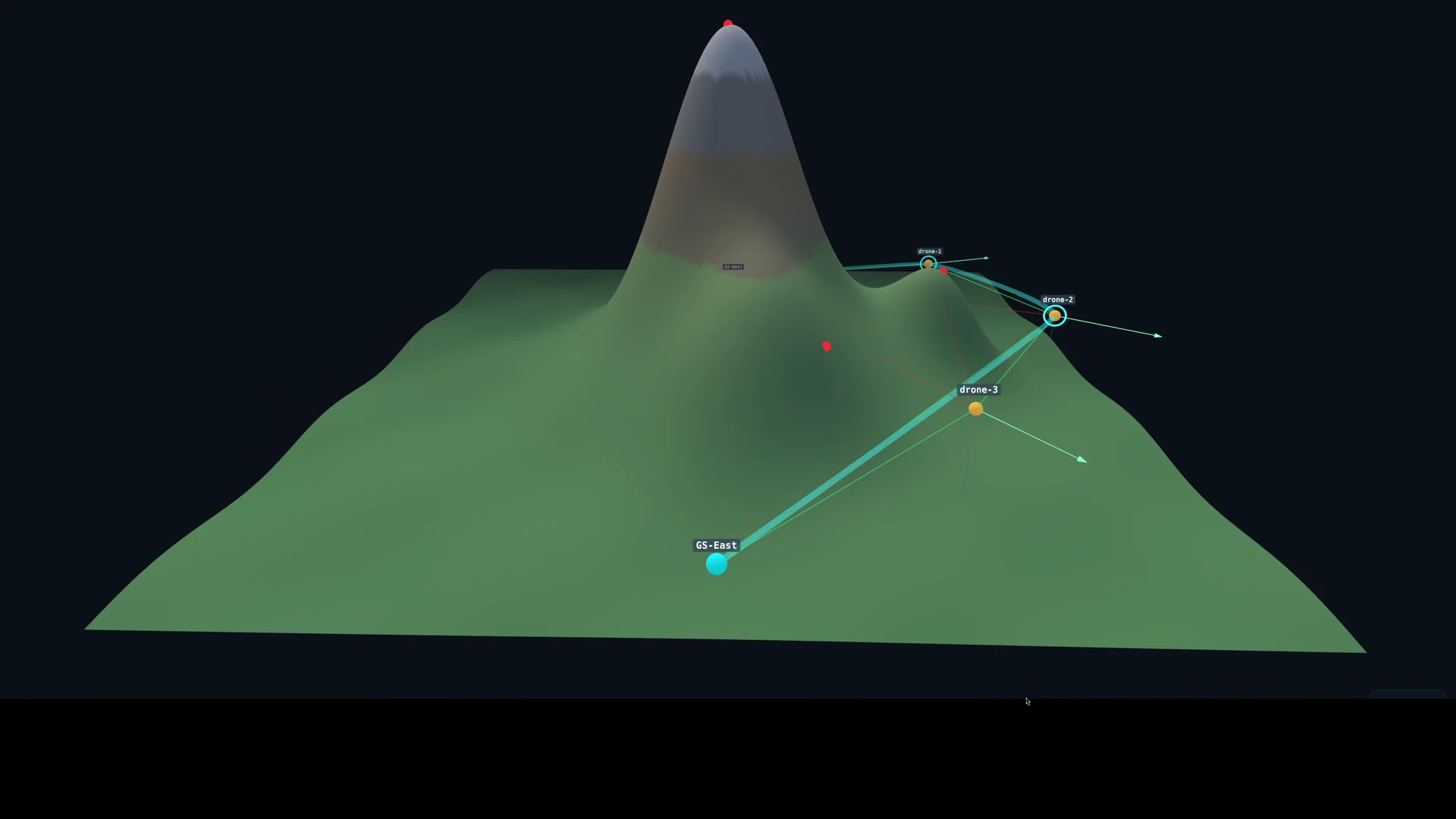
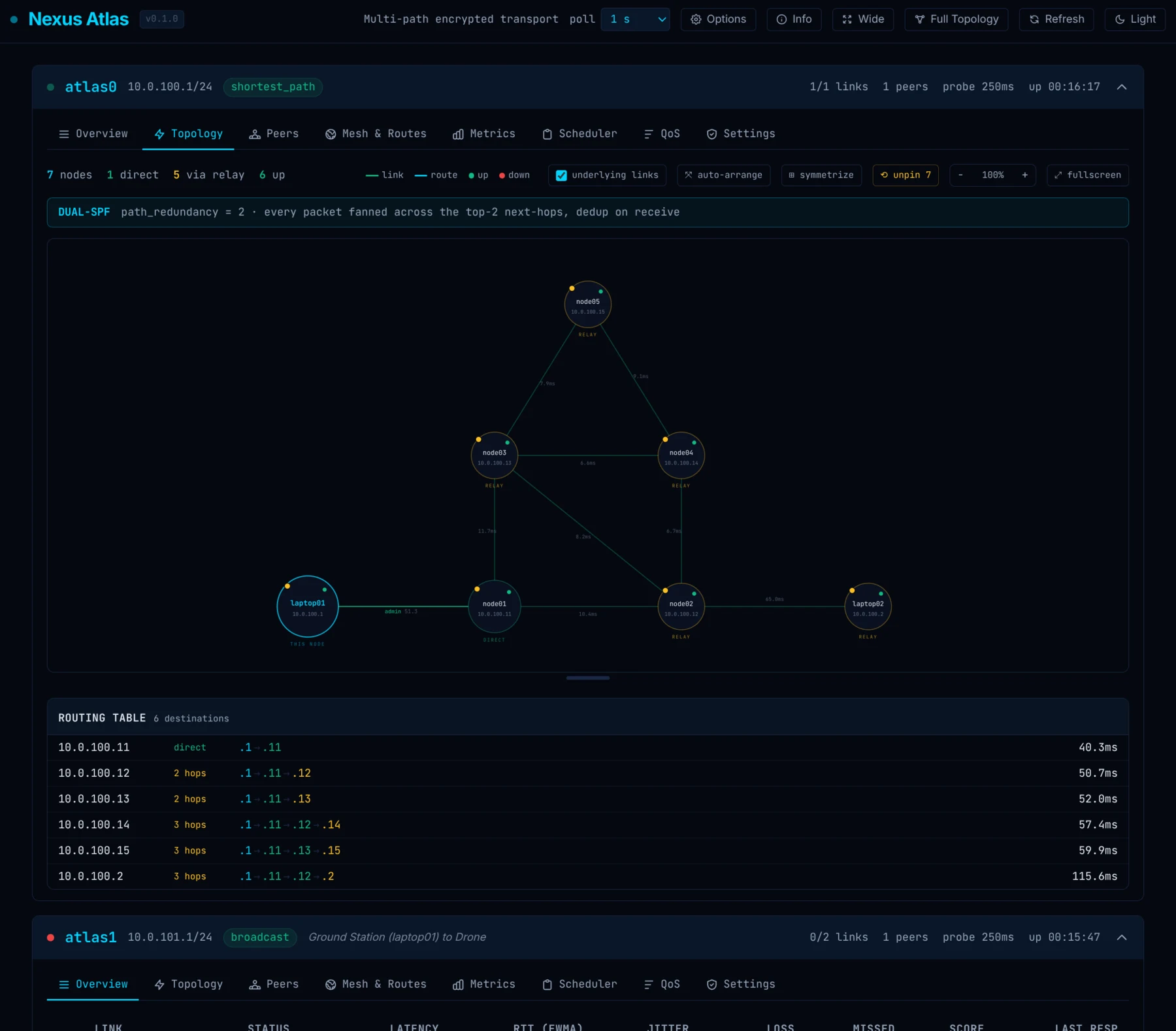
Explore the Linux control surface—from live link health and routing to topology inspection and a short spatial path visualization.
Operations
Compare status, latency, RTT, jitter, loss, quality, and scheduling contribution across every transport attached to the Linux node.
Screens and video from the current Linux development build. Details may evolve before public release.
Built for change
Atlas continuously measures available paths instead of waiting for the active one to fail.
Your applications keep using a normal encrypted network connection. No application integration is required.
Terminate on your own Linux node, use managed services, or combine both approaches.
Traffic is authenticated and encrypted between the Nexus Atlas endpoints you select.
Downloads
Public signed release packages are being prepared. Request an evaluation build for Linux or Android.
Run Atlas on a workstation, gateway, server, vehicle computer, or edge device.
Bond Wi-Fi, mobile connectivity, and other connections, from the device you already carry.
Tell us which operating system, hardware, and deployment shape you need.
Request a platformYour route, your choice
Managed connectivity is an option, not a hidden dependency. Use Atlas on infrastructure you control, use Nexus Atlas services for simpler onboarding, or keep both paths available.
Where it fits
Choose Linux for infrastructure and operational deployments, or Android for resilient connectivity on the phone you carry.
atlasd where the network meetsDeploy the Linux daemon on x86-64 or ARM64 workstations, gateways, servers, vehicle computers, and edge devices.
Bring Ethernet, fiber, 4G/5G, satellite, mesh, radio, or other IP-capable bearers available to the node.
Connect sites, devices, vehicles, and edge systems while retaining control of the Linux endpoints and data path.
Keep the same application connection as signal quality changes at home, at work, or on the move.
Android applications use one normal encrypted network interface while Atlas handles changing connections underneath.
Pair the app with a Linux node you control or use supported managed infrastructure when simpler reachability is useful.
Good to know
Nexus Atlas is connection bonding first. We keep platform limits and product boundaries explicit.
Its primary purpose is resilient connectivity and connection bonding, not changing your apparent location—although a full-tunnel exit through a hosted Nexus Atlas gateway, or through an exit node you operate yourself, does exactly that. (Relays are different: they only forward encrypted frames between your own nodes and provide no internet exit.)
Yes. Self-hosted Atlas endpoints are a first-class deployment option.
Consumer Android devices generally cannot keep two cellular data sessions active simultaneously. Atlas can combine Wi-Fi and cellular, or use another phone or router as an additional link.
Android allows one active VPN per user profile, so Atlas cannot normally run beside another VPN in the same profile.
It is the optional traversal and relay suite that helps Atlas endpoints connect through CGNAT and changing carrier networks.
No. Applications use a normal network interface while Atlas manages the available connections underneath.
Explore Nexus Atlas
Deployment, procurement, pilots, and partnerships.
nexusatlas.ioEngineeringArchitecture, technical evidence, and product depth.
nexusatlas.devDevelopersDocumentation, configuration and API reference, evaluation access.
nexusatlas.netTraversalCGNAT traversal, relays, and managed reachability.
console.nexusatlas.netTraversal ConsoleManage organizations, projects, node enrollment, status, alerts, and audit.
nexusatlas.appDownloads — you are hereUnderstand the app, choose a platform, and install it.